

United States
IRS · Form 1040-ES
- Federal income tax and self-employment tax
- Quarterly estimated tax payments
- Qualified business income deduction
- Standard mileage rate
- Tax year: 1 January – 31 December
ProDesk Apps
Know what's actually yours.
Every budgeting app assumes a salary on the 1st and the 15th. Traders, freelancers and contractors don't have one — they spend gross and find out what they owe in April. CashDesk works the other way round: it watches what comes in, sets aside the tax that was never yours, and keeps the rest honest.
On the Mac App Store, App Store & Google Play

Who It's For
If your income is the same every month, you don't need this. If it isn't, the three questions below are the ones that actually cost people money — and no salary-shaped budgeting app answers any of them.
Realised gains are not spending money. CashDesk separates what you've made from what you owe on it, and keeps the reserve moving as the year goes — instead of discovering the number when the return is due.
Quote a job, bill it, chase it, and know the day it falls due. Every invoice feeds straight into the income figure the tax reserve is calculated from — no second system to keep in step.
One bank account, business and personal mixed together. CashDesk splits them, finds the deductions in the mix, and keeps the evidence attached to the claim.
Five Countries
Not one calculator with the country swapped out. Each jurisdiction brings its own tax year, its own contributions, its own instalment calendar and its own words — because a UK sole trader making "payments on account" and a US freelancer filing 1040-ES are not doing the same thing.
IRS · Form 1040-ES

HMRC · Self Assessment

CRA · Instalment reminders

ATO · PAYG instalments

Income Tax Department · Advance tax
Features
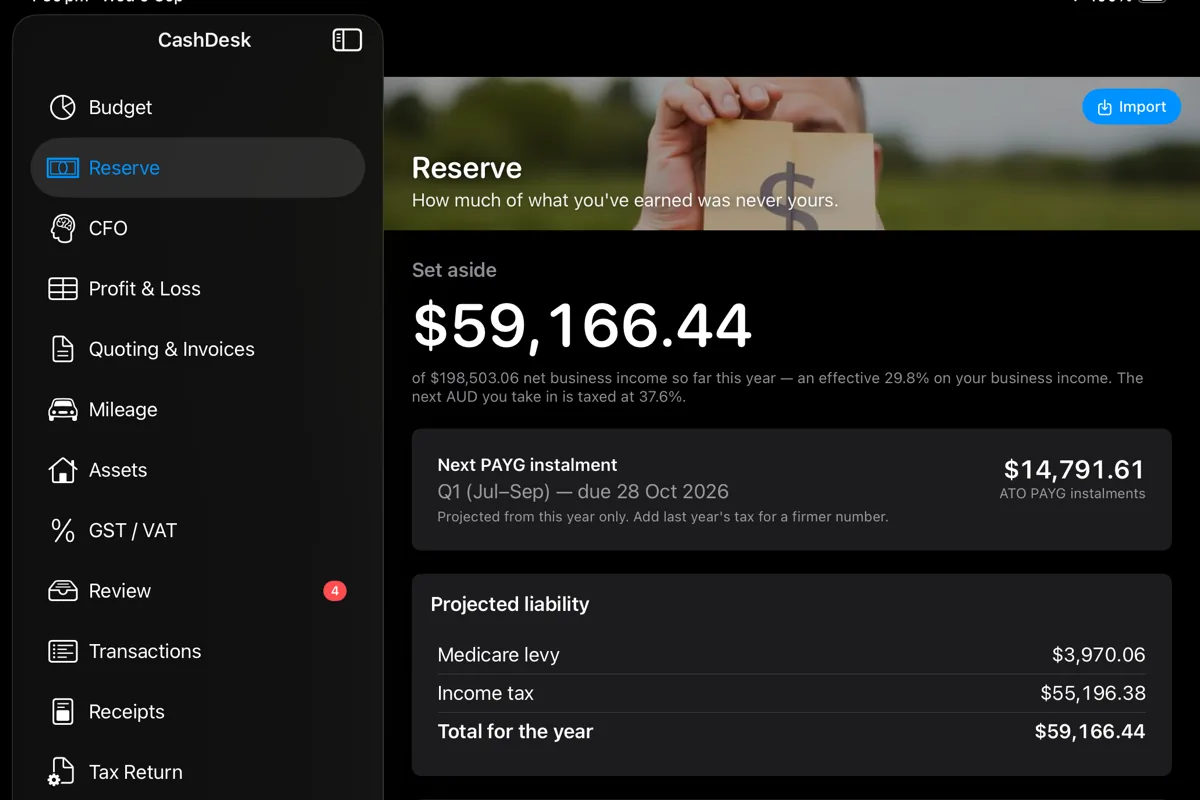
The headline number: how much of what you've earned this year was never yours. Recalculated on every import, with the next instalment and the date it falls due sitting underneath it.
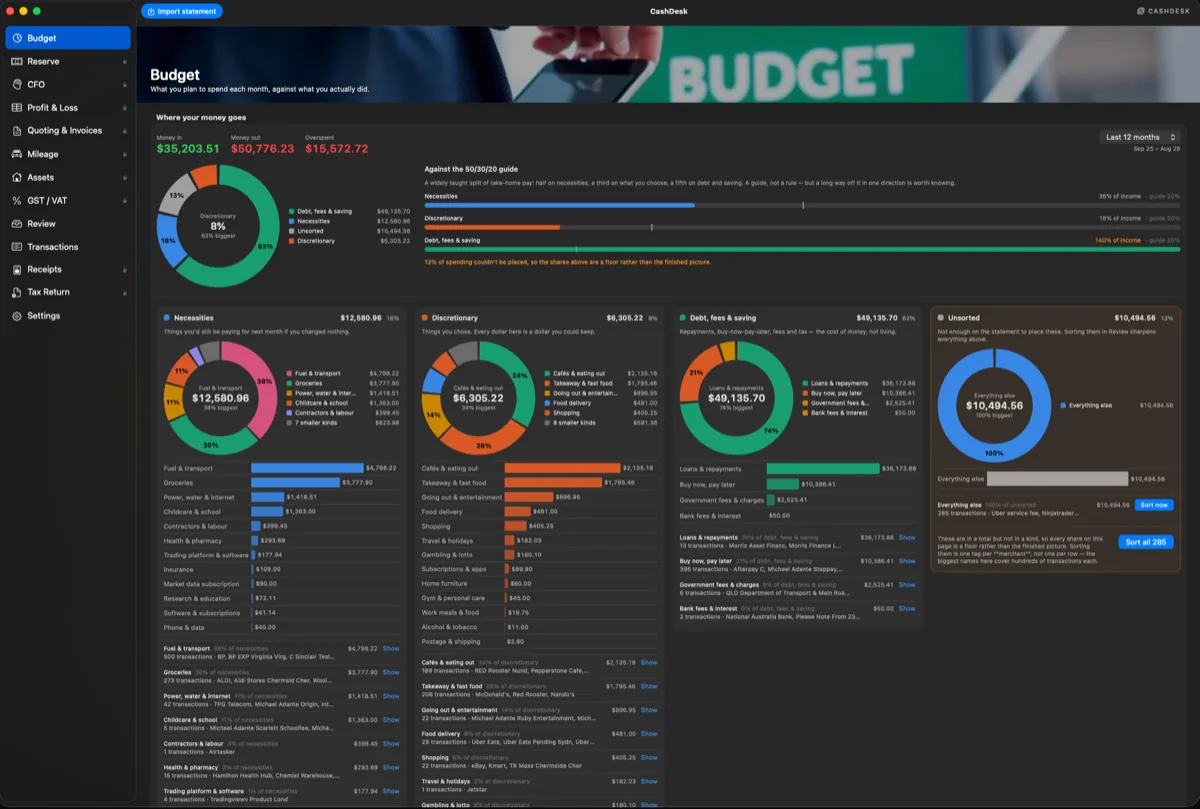
What you planned to spend against what you actually did — month, quarter or year — on the one screen in the app that counts personal spending alongside business. "Can I afford this" cannot be answered from business figures alone.
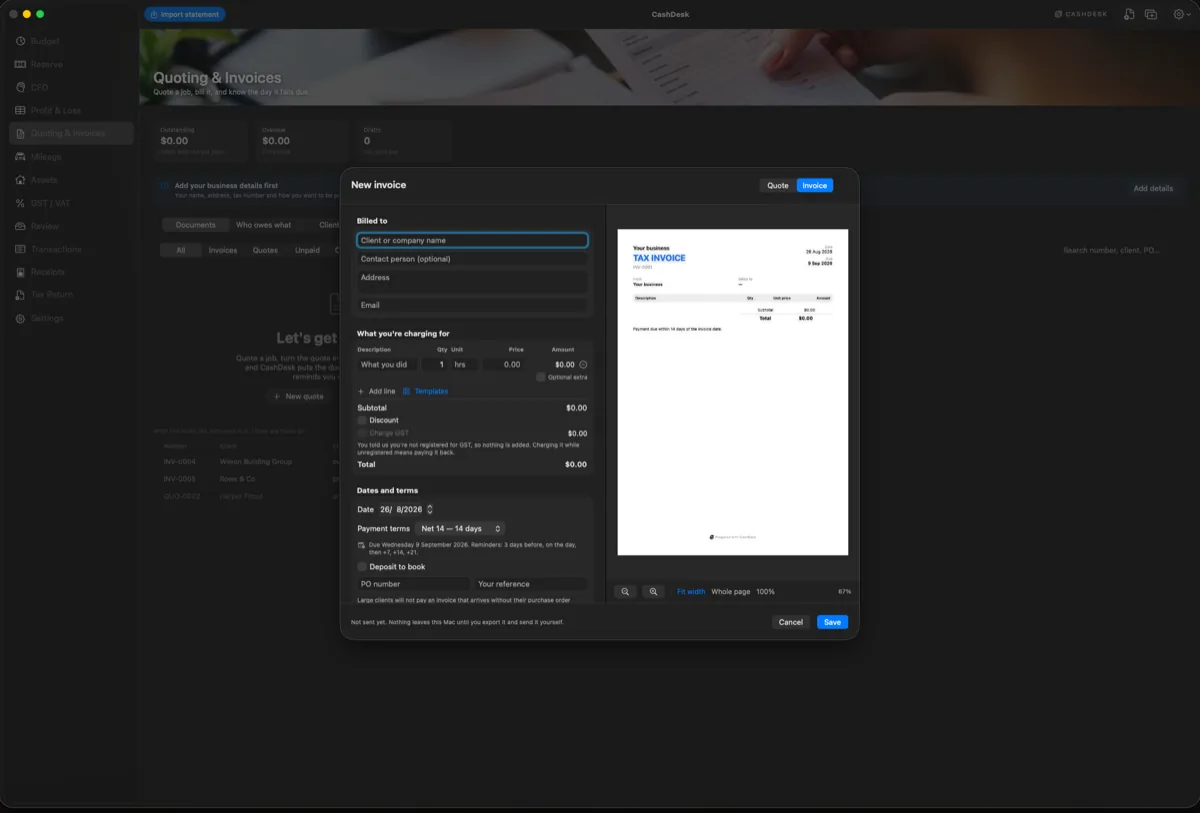
Quote a job, turn the quote into an invoice when you win it, and know the day it falls due. Built for people who bill for their own time and have no credit-control department behind them.
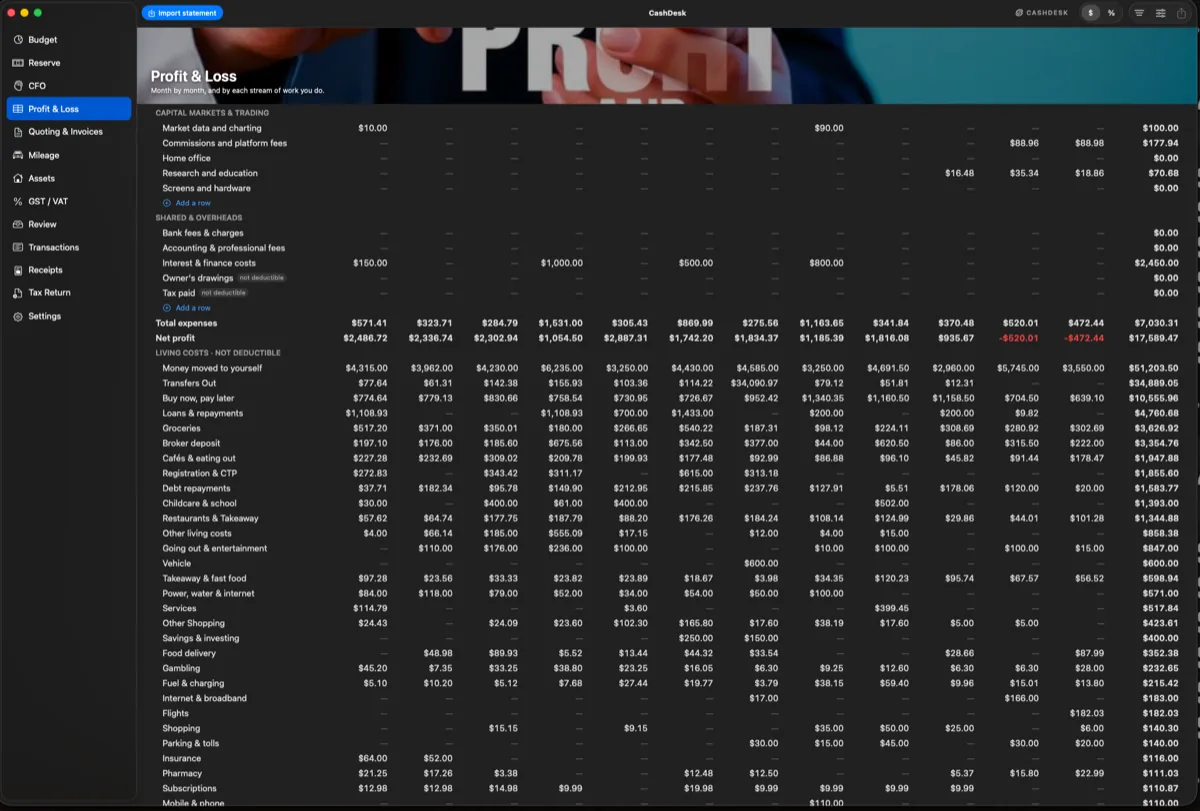
Month by month, and by each stream of work you do — because "am I making money" and "which part of this is making money" are different questions, and the second one is the one that changes what you do next.
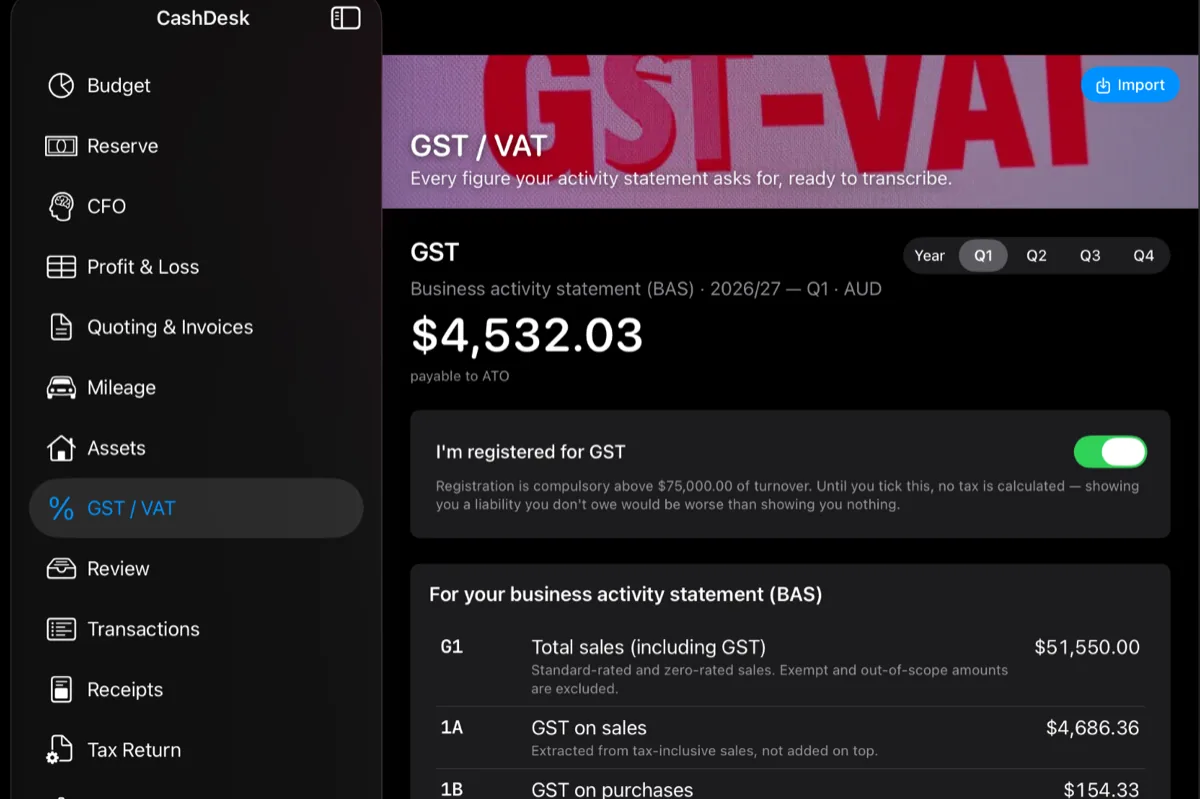
Every figure your activity statement or VAT return asks for, laid out in the authority's own codes so it can be transcribed straight across. Nothing is calculated until you tell CashDesk you're registered — showing someone a liability they don't owe is worse than showing them nothing.
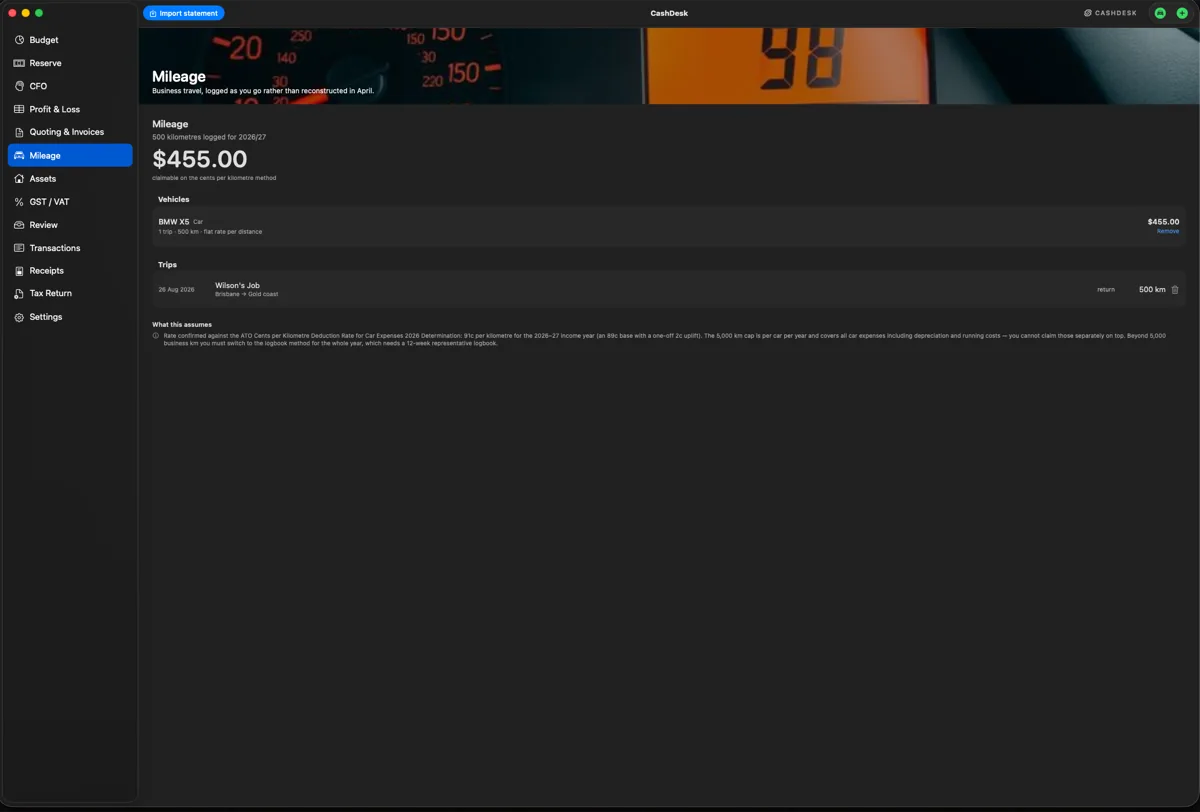
The two deductions people lose most of, because both are only claimable if you kept the record at the time.
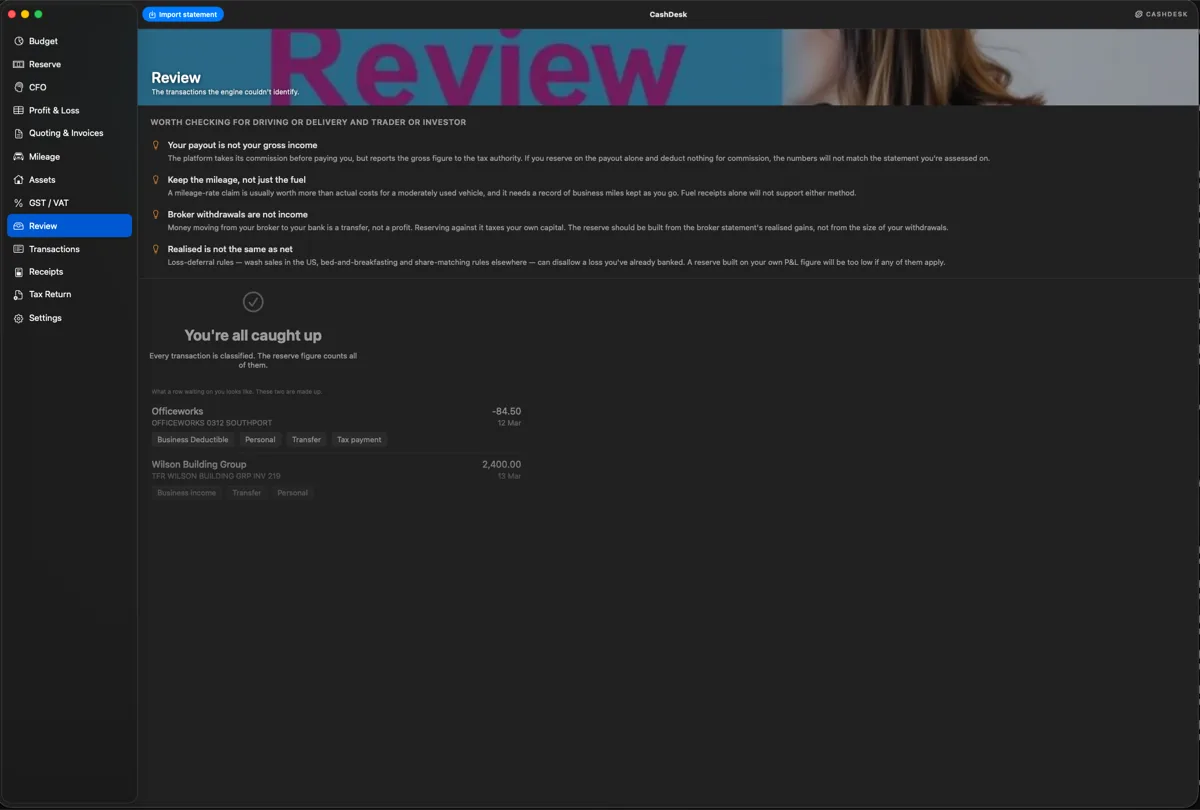
Bring in your own bank and broker statements as CSV. CashDesk works out the columns, classifies what it can from rules built for your trade, and puts the handful it won't guess at in a review queue — one click each.
Mac, iPhone & iPad
The same figures on a Mac, an iPhone and an iPad — each laid out for the screen it is on rather than shrunk to fit it. Every shot below is the real app, running on a real year of statements.
CashDesk for Mac — eleven screens, one file on your own machine.
CashDesk Go for iPhone — the whole ledger in your pocket, synced over your own iCloud.
CashDesk Go for iPad — the desktop layout, sidebar and all, on a bigger screen.
How It Works
What you do, how you get paid, where you pay tax. That sets your expense assumptions, your deduction categories and the rules used to classify what comes in.
Your own CSV exports from your bank and broker. No bank logins, no aggregator, no connection to break — which is also why it works in five countries on day one.
Anything the rules won't guess at comes to you, one row at a time, with the choices as buttons. A transfer misread as income taxes money you never earned, so it asks rather than assumes.
The set-aside figure, the next instalment and the return-ready totals stay current from then on. At year end, export the pack and send it to your accountant.
Privacy
This isn't a policy position, it's the architecture. CashDesk has no account, no server and no bank connection: your ledger is a file on your own machine.
No sign-up, no cloud sync of your transactions, no analytics on what you earn or spend. Nothing about your income is transmitted anywhere, because there is nowhere for it to go.
The app makes exactly one kind of network request: fetching signed updates to the tax tables when rates change. It sends no request body and carries no identifier — it asks for a public file, checks the signature, and applies it only if it's genuine.
What It Is, and Isn't
CashDesk prepares figures; it does not file returns and it is not a tax adviser. Nothing in it is tax, legal or financial advice, and where your circumstances differ from its assumptions — or your tax authority's rules differ from its figures — theirs are the ones that count.
It states its assumptions on screen rather than burying them: which method it applied, which threshold it used, what it left out and why. Where a figure would have to be invented to be shown, it is left blank and the reason is given.
Check the numbers against your authority's published figures, and take a professional's advice before you rely on them.
Platforms
Native apps, not one app stretched across four screens — SwiftUI on Apple's platforms, Kotlin and Compose on Android, each laid out for the device it runs on. CashDesk for Mac is on the Mac App Store, and CashDesk Go is on the App Store and Google Play. Each store is a separate purchase, and each keeps its own ledger on your own device — never on a server of ours.
One confirmation email, then only CashDesk news — new features, pricing and new tax jurisdictions. One-click unsubscribe in every email. We never sell your address.
CashDesk is free to download with a free tier. CashDesk Pro is US$5.99 a month or US$59.99 a year, and the Tax Return feature is a separate one-off US$39.99 purchase. The store shows the price in your currency. Mac and the mobile apps are separate purchases.
Five: the United States, the United Kingdom, Canada, Australia and India. Each is built in its own terms rather than one calculator with the country swapped out — a UK sole trader making payments on account and a US freelancer filing 1040-ES are not doing the same thing, so each gets its own tax year, contributions, instalment calendar and wording.
CashDesk works it out from what you have actually earned so far this tax year, in your jurisdiction's rules, and holds the figure as a reserve you can see. It updates as income arrives rather than giving you one flat percentage, because a flat percentage is wrong at both ends of a lumpy year.
No. CashDesk prepares the figures and shows its working, and you or your accountant file the return. It is not a tax adviser and nothing in it is tax, legal or financial advice. Where your circumstances differ from its assumptions, or your tax authority's rules differ from its figures, theirs are the ones that count.
No. There is no account, no server and no bank connection — your ledger is a file on your own machine. You import statements yourself. The app makes exactly one kind of network request: fetching signed updates to the tax tables when rates change, with no request body and no identifier.
Yes. CashDesk imports statements and receipts, then shows you what it classified and why before anything is committed, so a mis-read column is something you catch rather than something that quietly skews a year of figures.
Yes, where your jurisdiction has it. CashDesk tracks GST and VAT alongside income tax, so the amount you are holding for the tax office is the whole amount, not just the income-tax part.
Yes. CashDesk logs trips and applies your country's method — the standard mileage rate in the US, and the equivalent where one exists. Where a country has no flat rate, it says so rather than inventing one.
Mac, iPhone, iPad and Android. They are native apps — SwiftUI on Apple's platforms, Kotlin and Compose on Android — not one app stretched across four screens. CashDesk for Mac is on the Mac App Store and CashDesk Go is on the App Store and Google Play.
Yes. It was built for income that arrives in lumps, which covers traders as well as freelancers, contractors and sole traders. It tracks trading income alongside everything else and reserves tax against it as it lands.

Budgeting, tax and invoicing for people whose income arrives in lumps — in the US, UK, Canada, Australia and India.